
Blinzel
ReleasedOpen images, page, resize.
An image viewer for Windows, macOS and Linux, built for short times when opening and paging through images. It also resizes many images at once and takes screenshots. No toolbars, no ads, no telemetry.
12×faster opening than Windows Photos (90 ms vs. 1.12 s, 24 MP JPEG, median)
18 msfrom key press to the next image (Windows, median)
4×faster batch resizing than ImageMagick (8.6 vs. 2.1 photos per second)
8image formats with our own decoders, on every platform
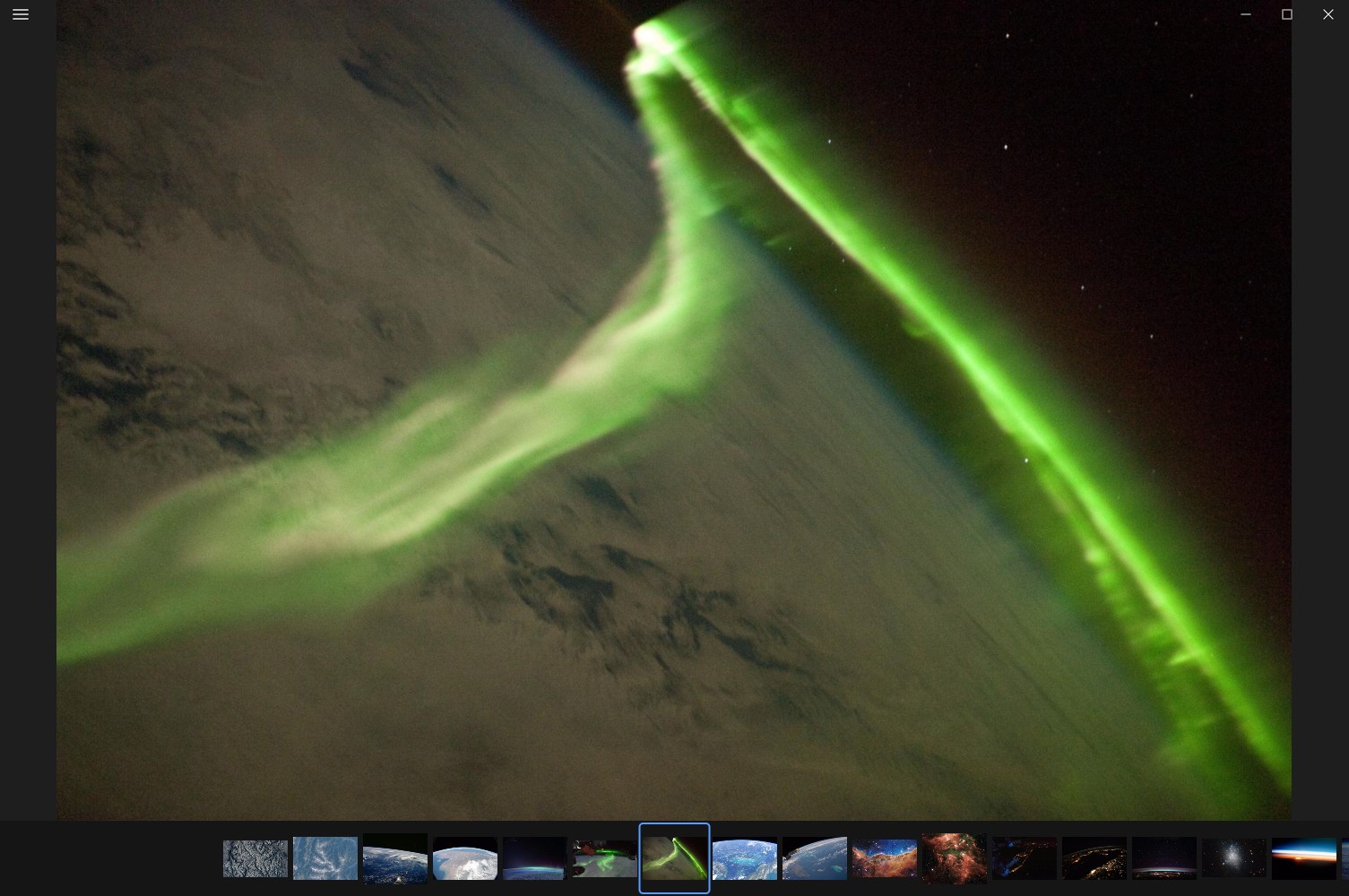
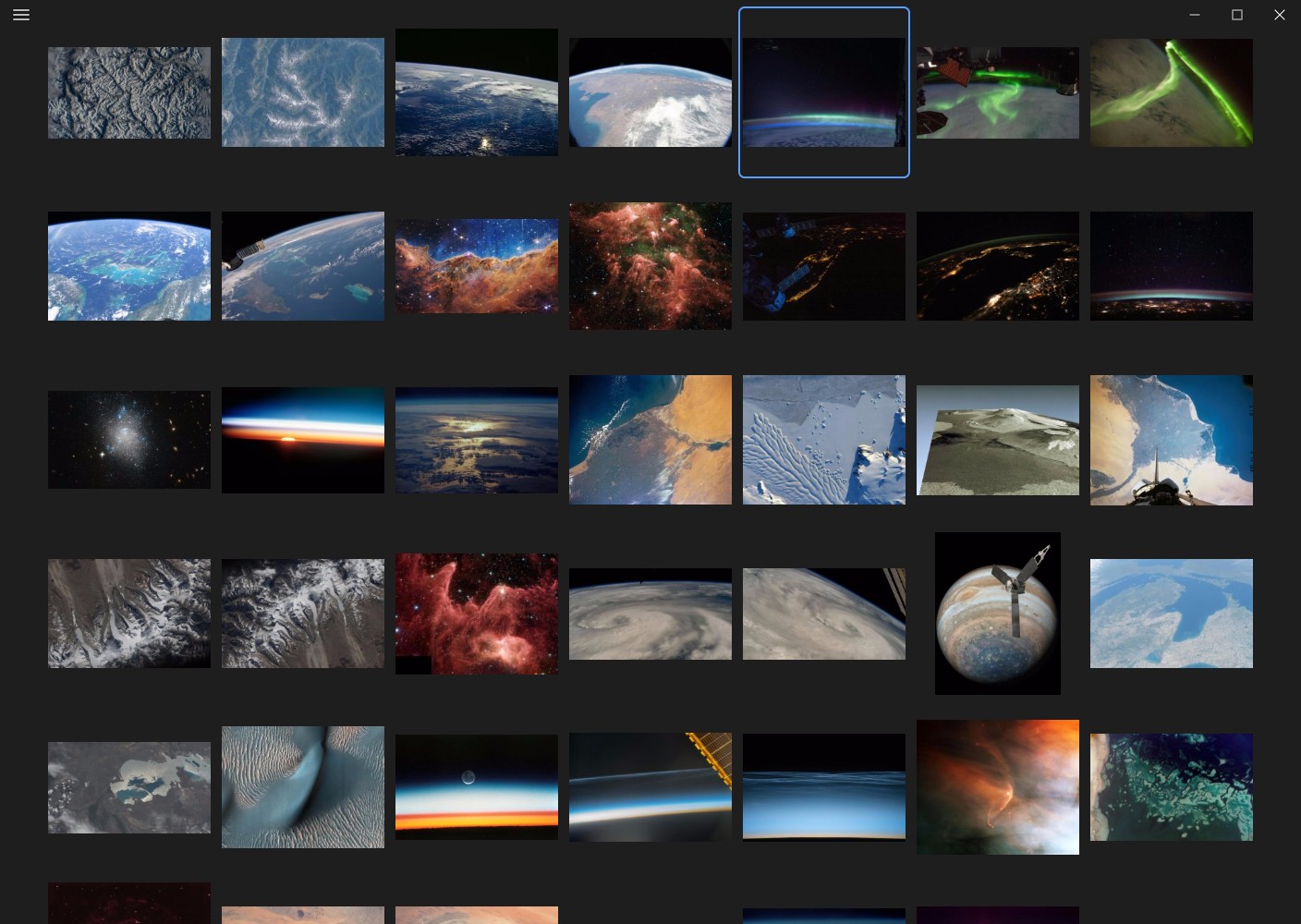
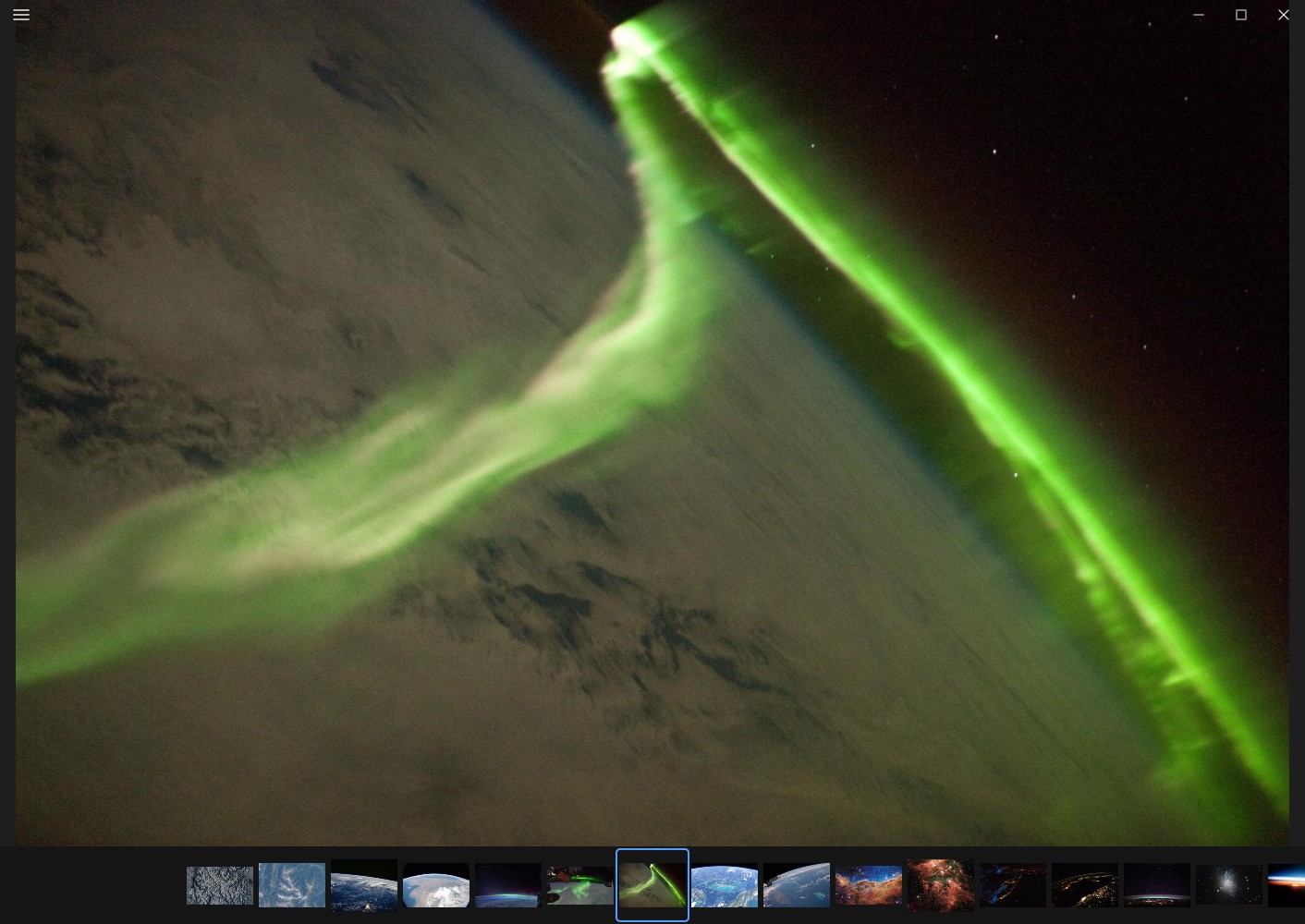
There are no toolbars. The menu (☰) sits top left; everything else is in the menu or on a key. Image files stay unchanged: cutouts are only written as new files through “Save as”.
Source code open on GitHub; no ads, no telemetry, the only network connection is the daily update check with GitHub (can be turned off: auto_update = false in settings.toml).
Blinzel
Features
Viewing
The window appears with the image already on it. Images are decoded only as large as the screen needs; the next images wait as GPU textures in the direction you page. Image files stay unchanged; cutouts are only written as new files through “Save as”, losslessly from JPEG where possible (also PNG, WebP, AVIF).
Resize many images
Ctrl+B (⌘B on a Mac) opens the dialog; drag images and folders into it. Long edge, width, height, fit into or fill a box, or percent, scaled with Lanczos3 in linear light; JPEG, PNG, WebP or AVIF. EXIF and the colour profile are kept, GPS can be removed. A name pattern shows every new name in advance. Source files are never overwritten. All cores work in parallel — 8.6 photos per second (12 MP to 1920 px, 4 cores) against 2.1 with ImageMagick.
Screenshots (Windows and macOS)
The Print key, on a Mac ⌘⇧1, freezes the screen across all monitors while amigo-blinzel stays ready in the background. Drag a region, click a window or press Enter for the whole screen. The screenshot goes to the clipboard and, as set, as PNG into “Pictures\Screenshots”, the viewer and the editor of your choice.
Formats
Our own decoders on every platform for JPEG, PNG, GIF, BMP, TIFF, WebP, AVIF and JPEG XL. HEIC and camera RAW through the system — the installed Windows codecs on Windows, ImageIO on macOS (HEIC with Apple's hardware decoder), and RAW through the embedded previews on Linux.
Grid and editing elsewhere
G shows a grid of all images, Ctrl+click marks them. E hands the image to the editor you chose (e.g. Paint.NET, GIMP, Photoshop); “Open with…” is in the menu. Delete moves an image to the Recycle Bin.
Updates without asking
Installs for you only, without administrator rights. amigo-blinzel asks GitHub at most once a day whether there is a new version and installs it silently; it takes effect at the next start. It can be turned off.
How it works
- Decoding at screen resolution: JPEGs are decoded with DCT scaling straight into YCbCr planes; the GPU does colour conversion and scaling.
- An own JPEG decoder spreads Huffman decoding over all cores, even without restart markers, and is byte-identical with libjpeg-turbo.
- Prefetching in paging direction, with priorities and cancellation.
- Parallel start: window, GPU and decoder start at the same time.
- Native on every platform: Win32 and Direct3D 11 on Windows, AppKit and Metal on macOS, Vulkan (wgpu) on Linux. No runtime, no framework in between.
Measured
Windows: opening, next image, key repeat
Measured from the outside, the same way for every viewer, with the open tool blinzel-race — from process start until the image is on screen, from a key press until the next image appears, and how many of 20 presses at 30 Hz (a held arrow key) show an image. 24 JPEGs of 24 megapixels; median over several repetitions. Measured versions — amigo-blinzel 1.1.0, Windows Photos (store app).
Open (warm)ms · lower is better
- amigo-blinzel
- 90 ms · p95 93 ms
- Windows Photos
- 1,120 ms · p95 1.27 s
Next imagems · lower is better
- amigo-blinzel
- 18 ms · p95 21 ms
- Windows Photos
- 47 ms · p95 401 ms
Key repeat: images shown/ 20 · higher is better
- amigo-blinzel
- 19 / 20
- Windows Photos
- 10 / 20
Comparison
Image viewers on Windows
Every entry links its source (the maker's website, documentation, release notes or source code); what could not be confirmed there reads “not documented”. Download is the size of the x64 installer. Please report corrections as an issue on GitHub.
As of 23 October 2026
Image viewers on macOS
Every entry links its source (the maker's website, documentation, App Store page, release notes or source code); what could not be confirmed there reads “not documented”. “macOS codec” means the program reads the format through Apple's ImageIO. Download is the size of the macOS download. Please report corrections as an issue on GitHub.
As of 26 October 2026
Batch resizing
So far only the speed against ImageMagick is measured, on the same files: 8.6 instead of 2.1 photos per second (`blinzel-bench batch`, 12 MP to 1920 px, 4 cores). Every entry links its source (the maker's website, documentation, release notes or source code); what could not be confirmed there reads “not documented”. Please report corrections as an issue on GitHub.
As of 29 October 2026
Download
Latest release1.7.1· 11 November 2026Release notes
WindowsFor your system
- Viewer and installerx6410 MB
Windows 11 version 24H2 or newer.
- Viewer and installerarm647 MB
Windows 11 version 24H2 or newer.
Installation notes
The file is viewer and installer in one and installs for you only, without administrator rights, to %LOCALAPPDATA%\Programs\amigo-blinzel.
The file is not signed with a code signing certificate, so Windows SmartScreen shows “Windows protected your PC” at the first start: click More info, then Run anyway. To make amigo-blinzel the default for images, use Windows Settings; the setup opens the page if you like. Uninstall: Settings → Apps → Installed apps.
macOSFor your system
- DMGuniversal9.6 MB
macOS 14 Sonoma or newer, Apple silicon and Intel in one app.
Installation notes
Open the DMG and drag amigo-blinzel.app onto the Applications folder.
The app is not notarized by Apple, so macOS reports at the first start that it cannot check it. On macOS 14: Control-click the app in Finder, choose Open and confirm. From macOS 15: open the app once and close the message with Done, then in System Settings → Privacy & Security, at the bottom next to “amigo-blinzel”, click Open Anyway and confirm with your password. This is needed for the first start only; the app downloads updates itself, without this prompt. Or in Terminal:
xattr -dr com.apple.quarantine /Applications/amigo-blinzel.app
Make it the default through “Get Info” → “Open with” → “Change All”.
LinuxFor your system
- tar.gzx6423 MB
Wayland or X11, glibc 2.35 or newer, a Vulkan or OpenGL ES 3 driver.
- tar.gzarm6420 MB
Wayland or X11, glibc 2.35 or newer, a Vulkan or OpenGL ES 3 driver.
Installation notes
tar xzf amigo-blinzel-linux-x64.tar.gz
./amigo-blinzel/blinzel --install
This puts the program in ~/.local/share/amigo-blinzel, a blinzel command in ~/.local/bin and an entry in the application menu with “Open with” for images. To make it the default image viewer: xdg-mime default amigo-blinzel.desktop image/jpeg image/png image/webp image/avif. Uninstall: blinzel --uninstall.
Install
Linux (after downloading)
tar xzf amigo-blinzel-linux-x64.tar.gz && ./amigo-blinzel/blinzel --installChecksums: the checksums of all files are in SHA256SUMS, signed with the project's release key. On Windows: Get-FileHash amigo-blinzel-setup-x64.exe; on macOS and Linux: shasum -a 256 or sha256sum.
Updates: amigo-blinzel asks GitHub at most once a day whether there is a new version and installs it silently; it takes effect at the next start. To turn it off: auto_update = false in settings.toml, on Windows in %APPDATA%\amigo-blinzel, on macOS in ~/Library/Application Support/amigo-blinzel, on Linux in ~/.config/amigo-blinzel.
Checksums (SHA256SUMS) — Verify a download against the SHA-256 sums of this release.